Google Maps Expands Immersive Navigation and Speedometer Features in Android Auto
Google is making significant strides in its navigation services by expanding the availability of Immersive Navigation and the speedometer feature in Android Auto. This rollout indicates a shift towards better user experiences on the road. With increasing competition in the navigation app space, Google appears to be doubling down on its offering to retain its user base and attract new customers, especially those who demand high-quality, feature-rich applications.
Expanding the Immersive Navigation Feature
Initially revealed earlier this year, Immersive Navigation has been touted as a major update for Google Maps. It promises enhanced visuals and more precise directions, designed to improve navigation while driving. Immersive Navigation enriches standard GPS features with augmented-reality visuals, helping drivers better orient themselves in complex environments. By projecting lane guidance and nearby points of interest over the real-world view through the phone's camera, Google aims to reduce the cognitive load on drivers. However, this feature has seen a gradual deployment over the past weeks, with only a fraction of users—about 10%—reporting access until recently. This slow rollout raises questions: Is Google struggling with infrastructure issues, or is it strategically pacing the feature's introduction to manage user feedback?
In the last couple of weeks, users have observed that Immersive Navigation is becoming accessible beyond the beta testing phase, indicating that Google is actively working to broaden the rollout. The anticipation surrounding the feature has been palpable, and many users are eager to experience the improvements firsthand. Reports are increasing, suggesting that while it’s not universally available yet, many more users are gaining access. This piecemeal approach to deployment might also serve as a feedback loop for Google. The company can make necessary adjustments based on user interactions prior to a large-scale launch.
One noticeable change on Android devices is the replacement of the Assistant icon with the Gemini icon in the top-right corner of the app. This shift is part of the overall interface enhancement that accompanies the new navigation features. Users are likely experiencing a refreshed visual approach that aligns with modern design trends, but it also begs the question of whether this kind of change will actually enhance usability or dilute user familiarity.
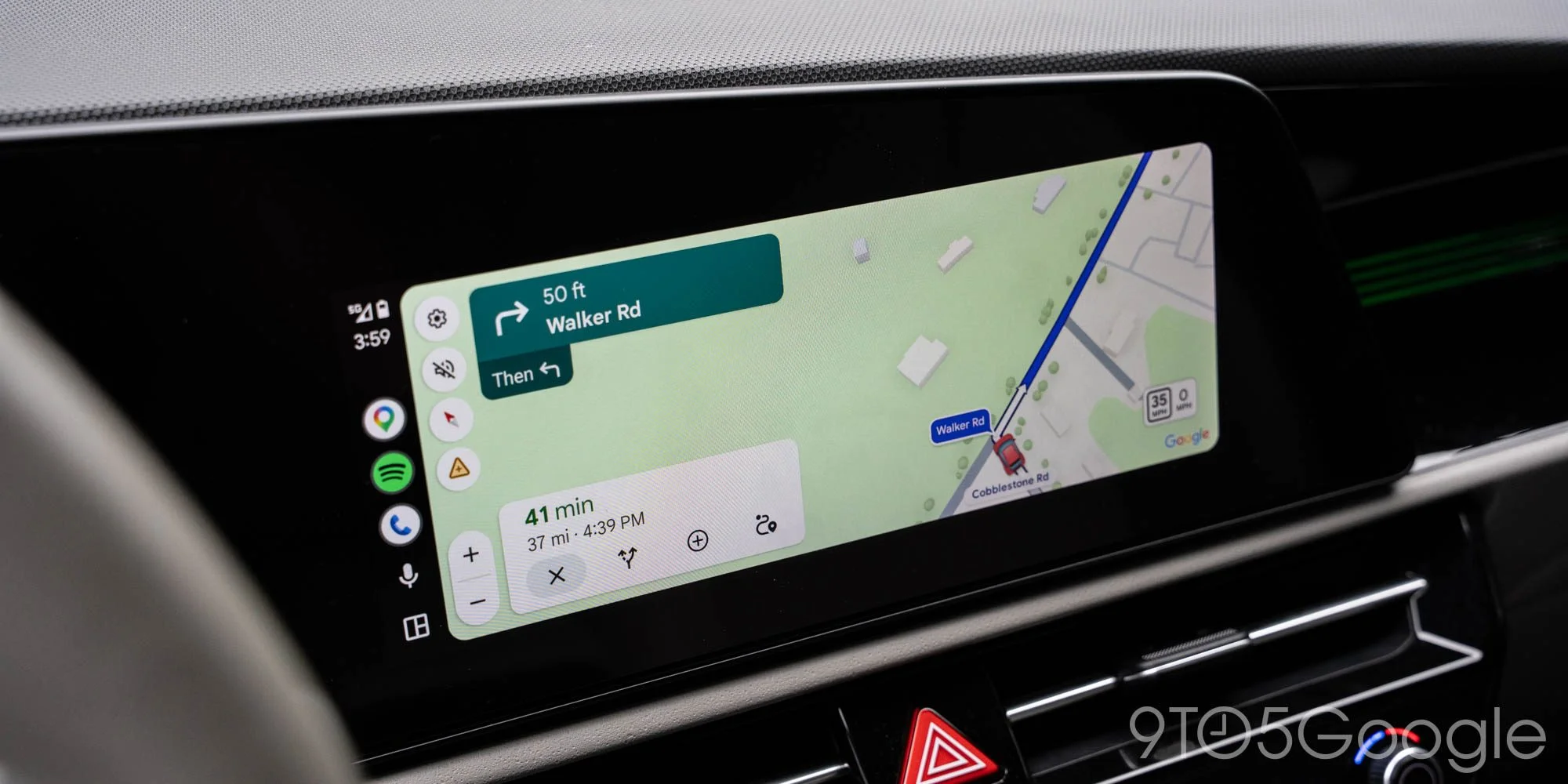
Live Speedometer Progress
In addition to Immersive Navigation, Google is now rolling out a live speedometer feature in Android Auto. This long-awaited upgrade started appearing earlier this month and is not limited to users in beta programs, showcasing that it’s a server-side rollout reaching a broader audience faster than anticipated. Adding a real-time speed reading provides drivers with critical information at a glance, promoting safer driving practices, and potentially reducing speed-related incidents.
However, it’s essential to distinguish that this speedometer feature does not display speed limits; it shows real-time speed as you drive. Many users have expressed a desire for the speed limit to be visible even when navigation is inactive. This gap in functionality could undermine the feature's utility—after all, knowing both your speed and the speed limit is fundamental for safe driving. To some extent, this omission may reflect a missed opportunity for Google to fully address user needs. It's not just about speed; it’s about context. If you're working in this space, you know that providing comprehensive information can enhance overall user trust and satisfaction.
As these enhancements roll out, users are encouraged to share their experiences with either feature in the comments. This user feedback can help Google gauge the effectiveness and reception of these updates. The company should carefully monitor this feedback as it will provide insights not just on what users like, but also on what they feel is missing. (And this is the part most people overlook: customer input can be a gold mine for future enhancements.)
More Related Developments
- Android Auto redesigned Google Maps alerts to reduce distractions - a significant upgrade
- Google Maps on Android Auto features larger street labels along your route
- Guidance on maximizing 'Ask Maps' as it gains traction
Implications and Future Outlook
This push to enhance navigation services reflects a broader trend in the tech industry: the increasing importance of user experience. As competitors like Apple Maps and Waze also improve their offerings, Google must maintain its leadership position while addressing the intricate needs of its users. The incorporation of features like Immersive Navigation and live speedometers isn’t just about staying relevant; it's about anticipating drivers' needs and adapting accordingly. What this means for you is a more intuitive driving experience that could ultimately redefine how we navigate.
However, the reliance on software updates comes with its pitfalls; users now expect rolling improvements, and frustration can build quickly if features fail to deliver. Google’s challenge will be to ensure that hyper-local data remains accurate and accessible while avoiding feature bloat that complicates the very experience they're trying to improve. Time will tell if this renewed focus will translate into user loyalty and satisfaction, but early indicators from user feedback suggest that the demand is there.


Top comment by android2288214
Liked by 36 peopleI wish maps in Android Auto would always show the speed limit when maps is open. If you are driving with maps open but not using navigation it still tracks your movement and displays the road name you are on but the speed limit does not show. Wish it showed in both modes.